Updated: November 18, 2026
SEO structured data is code that labels facts on a page so Google can read them as facts, not just words. For a local business, the key type is LocalBusiness schema. It labels your name, address, phone, hours, and service area. This guide shows the fields, a full JSON-LD example, how to test it, and what it does and does not do.
A local business lives or dies on clear facts. Google needs to know who you are, where you are, and when you are open. SEO structured data gives Google those facts in a form it can read with no guesswork. It does not replace good content, a fast site, or real reviews. It works with them.
What is SEO structured data?
SEO structured data is a set of labels you add to a page. The labels follow a shared list from Schema.org. Google, Bing, and other search engines use that list. The labels tell a search engine what a thing is, not just what words are on the page.
The most used format is JSON-LD. It is a block of code in JavaScript Object Notation for Linked Data. You add it to the head of a page, or to the body. Google prefers JSON-LD. Older formats are Microdata and RDFa. You do not need them if you use JSON-LD.
What is LocalBusiness schema?
LocalBusiness schema is a type of SEO structured data for a local firm. It is part of Schema.org. It has fields for a business name, address, phone, hours, and map point. It also has fields for price range, web address, and social profiles.
There are more exact types for some trades. A restaurant can use Restaurant. A dentist can use Dentist. A plumber can use Plumber. If no exact type fits your trade, use LocalBusiness. Use one type per business, and keep it true to what you are.
If you want help with this and your Google Business Profile, see our local SEO services. We set up schema, your profile, and your local pages as one plan.
Key LocalBusiness schema fields
These are the key fields for LocalBusiness schema, the main type of SEO structured data for a local business. Use the fields that are true for your business. Do not add facts you do not have. Do not add hours you do not keep. Wrong facts can hurt trust and can break your rich results.
- name – your business name, as it is on your sign and your Google Business Profile.
- address – a PostalAddress with street, city, region, postal code, and country.
- geo – your latitude and longitude, so Google can place you on a map.
- openingHoursSpecification – the days and times you are open, in a clear form.
- telephone – the phone number customers call.
- url – your home page address.
- image – a photo or logo that shows the business.
- priceRange – a short price guide, such as $ or $$.
- sameAs – links to your social profiles, such as Facebook and Instagram.
Match these facts to your Google Business Profile. Use the same name, address, and phone in both places. Google checks for a match. A match builds trust. A mismatch can confuse Google and your customers.
A full LocalBusiness schema example in JSON-LD
Here is a full example you can copy. It is a sample business. Replace every value with your own facts. Do not keep the sample name, address, or phone. Test the result with the tools below before you publish it.
This is SEO structured data in its most used form: JSON-LD.
{
  "@context": "https://schema.org",
  "@type": "LocalBusiness",
  "name": "Sample Plumbing Co.",
  "image": "https://example.com/logo.jpg",
  "url": "https://example.com/",
  "telephone": "+880-1000-000000",
  "priceRange": "$$",
  "address": {
    "@type": "PostalAddress",
    "streetAddress": "123 Main Street",
    "addressLocality": "Dhaka",
    "addressRegion": "Dhaka",
    "postalCode": "1212",
    "addressCountry": "BD"
  },
  "geo": {
    "@type": "GeoCoordinates",
    "latitude": 23.8103,
    "longitude": 90.4125
  },
  "openingHoursSpecification": [{
    "@type": "OpeningHoursSpecification",
    "dayOfWeek": ["Monday", "Tuesday", "Wednesday", "Thursday", "Friday"],
    "opens": "09:00",
    "closes": "18:00"
  }],
  "sameAs": [
    "https://www.facebook.com/sampleplumbing",
    "https://www.instagram.com/sampleplumbing"
  ]
}
Keep the code in one block. Put it on your home page. Put it on your main service pages only if the facts are the same. Do not put it on every blog post. A blog post is an Article, not a local business.
How to add LocalBusiness schema to your site
- Copy the example above and fill in your own facts.
- Check each fact against your Google Business Profile.
- Add the code to your home page. In WordPress, add it with your SEO plugin, or ask your web team to add it to the page head.
- Test it with the tools below.
- Fix any errors, then publish.
- Check again after you publish, with the live URL.
Do not add schema for a business that is not yours. Do not add a fake address or a fake phone. Google can spot fake facts, and customers will spot them faster.
How to test LocalBusiness schema
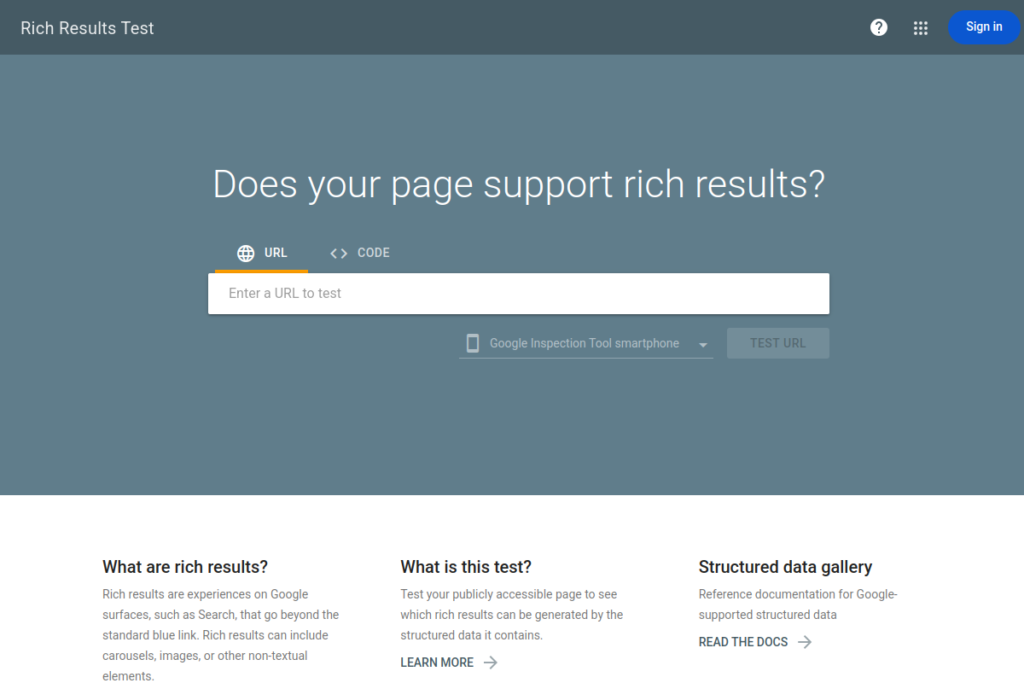
Use two free tools. The first is the Rich Results Test. The second is the Schema Markup Validator. Paste your URL, or paste your code. Both tools show errors and warnings.
Fix errors first. Errors mean the code is broken or a key field is missing. Warnings mean a field is advised but not key. A clean test does not mean Google will show a rich result. It means Google can read your code. Note this: Google Search Console has no testing tool. Do not look for one there. Use the two tools above.
Test your SEO structured data with these tools, not with Search Console.
What LocalBusiness schema does and does NOT do
SEO structured data is a tool, not a trick. Know what it can do, and what it cannot do.
What it does
- It helps Google read your name, address, phone, and hours as facts.
- It can make a page eligible for rich results, such as a business card in search.
- It helps Google match your business to local searches, such as plumber near me.
What it does NOT do
- It does not guarantee rich results. Google picks which pages get them.
- It does not get you a featured snippet. Featured snippets come from content, not from schema. A clear answer in your text wins a snippet, not a code block.
- It does not make Google index your site faster. Schema does not speed up indexing. A sitemap and good links help Google find pages.
- It does not raise your rank by itself. Content, reviews, links, and your Google Business Profile still do the heavy work.
FAQ rich results ended on 7 May 2026
Google ended FAQ rich results on 7 May 2026. A FAQ page no longer wins a rich result in search. So do not build a FAQ page as your main structured-data example. Use LocalBusiness schema for a local business instead.
FAQ schema is still a valid type. You can still mark up a real FAQ on your site. It just does not bring a rich result now. This post has a FAQ at the end for readers. Its schema is there for machines to read, not for a rich result.
LocalBusiness schema and your Map Pack place
The Map Pack is the box of three local listings at the top of Google search. Google picks those three from many firms. Clear facts help it pick well. Schema is one way to give those facts. Your Google Business Profile is the other way. Keep both the same.
SEO structured data helps Google match your business to local searches. Reviews also feed the Map Pack. A business with real, visible reviews looks more trusted. If your reviews are missing, read our guide on Google reviews not showing up. Fix the review problem first, then add schema.
Our local SEO services cover schema, your Google Business Profile, and your Map Pack place. We check the facts, fix the gaps, and set up a fair way to ask for reviews.
Frequently asked questions about SEO structured data
What is SEO structured data?
SEO structured data is code that labels facts on a page. It follows the Schema.org list. It tells Google what a thing is, such as a business, a product, or an article. It does not change what users see on the page.
What is LocalBusiness schema?
LocalBusiness schema is SEO structured data for a local firm. It labels the name, address, phone, hours, and map point. It is the main schema type for a local business. Use a more exact type, such as Restaurant, if one fits.
Does LocalBusiness schema help my Map Pack rank?
It can help, but it does not rank you by itself. It gives Google clear facts to match you to local searches. Your Google Business Profile, reviews, and content still carry most of the weight.
Does structured data get me a featured snippet?
No. Featured snippets come from content, not from schema. A clear, short answer in your text can win a snippet. Schema does not do that for you.
Does structured data make Google index my site faster?
No. Schema does not speed up indexing. Google finds pages through links and sitemaps. Schema only helps Google read a page once it finds it.
How do I test LocalBusiness schema?
Use the Rich Results Test and the Schema Markup Validator. Paste your URL or your code. Fix errors first, then warnings. Google Search Console has no testing tool.
Do I need schema on every page?
No. Put LocalBusiness schema on your home page. Put Article schema on blog posts. Put the right type on each page, and keep the facts true.
What happens if my schema has errors?
Fix the errors and test again. Errors can stop Google from reading the code. Warnings are less urgent, but fix them if you can. A clean test means Google can read your code, not that it will show a rich result.
Conclusion
SEO structured data is a clear way to tell Google the facts about your local business. LocalBusiness schema is the type to use. Add it to your home page, test it, and keep the facts true. That is the whole job. No tricks, no fake facts, no short cuts.
Get help with LocalBusiness schema
Schema is a small job, but a wrong fact can cost you trust and calls. Mentors Boss can check your site, add LocalBusiness schema the right way, and match it to your Google Business Profile.
Book a Free Local SEO Audit or Book a Call with our team. We will review your site and your Google Business Profile, and tell you the next steps.