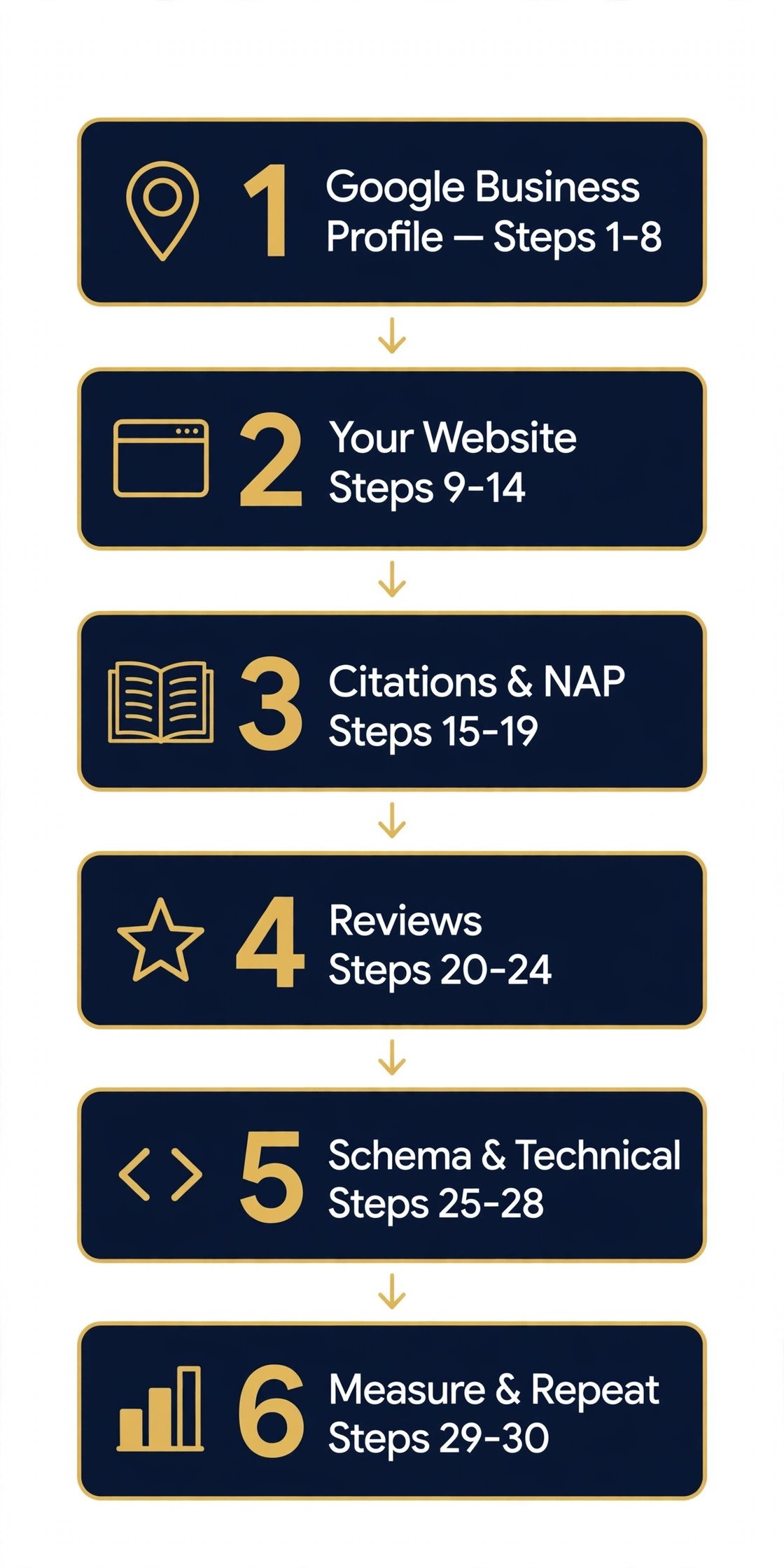
A local SEO checklist is a step-by-step list of the work that helps a local business show up in Google Maps and local search results. This one has 30 steps in 6 parts. The parts run in the order that matters most. Start at the top and work down. Do not skip ahead. Each part builds on the one before it. Most single-location firms finish the first four parts in about four weeks, at a few hours a week. This guide also states what Google says each step can and cannot do. It fits a shop, a clinic, a restaurant, or a service firm with one address. A firm with more than one branch repeats the steps for each branch.
On this page: Why this checklist works | How to use this checklist | What to do first | The 30 steps at a glance | 1. Google Business Profile (steps 1–8) | 2. Your website (steps 9–14) | 3. Citations and NAP (steps 15–19) | 4. Reviews (steps 20–24) | 5. Schema and technical (steps 25–28) | 6. Measure and repeat (steps 29–30) | What Google says each step can and cannot do | FAQ | Copy this checklist | Conclusion
Why this checklist works
BrightLocal asked 1,002 US adults about local reviews. Its Local Consumer Review Survey 2026, published 11 February 2026, shows why this work pays off.
- 97% of consumers read reviews for local businesses. (BrightLocal 2026)
- 41% of consumers always read reviews, up from 29% in 2025. (BrightLocal 2026)
- 47% of consumers will not use a business with fewer than 20 reviews. (BrightLocal 2026)
- 68% of consumers will only use a business rated 4 stars or more. (BrightLocal 2026)
- 74% of consumers only care about reviews from the last three months. (BrightLocal 2026)
- 89% of consumers expect businesses to respond to reviews. (BrightLocal 2026)
- 80% of consumers are more likely to use a business that responds to all of its reviews. (BrightLocal 2026)
- 45% of consumers now use ChatGPT or other AI tools for local recommendations, up from 6%. (BrightLocal 2026)
Reviews decide the call. The rest of this checklist makes sure Google can find you, trust you, and show you.
How to use this checklist
Work the list top to bottom. Part 1 comes first because your profile is what most local customers see first. Do not jump to links or blog posts while the profile is half done. Tick each step as you finish it. The copy-paste list below holds all 30 steps in one place.
This checklist is a to-do list, not an audit. An audit finds what is broken. This list tells you what to do, in an order where each task makes the next one easier. If your profile has a fault already, fix that fault first. Our guide to ranking on Google Maps explains how to spot it.
Plan about four weeks for the first four parts, at a few hours a week. Service pages take the longest. The last two parts never end. They are a monthly and quarterly routine. No step here buys a top-three Map Pack spot. Google names no weight for any ranking factor. It also says there is no way to request or pay for a better local ranking.
| Part | Steps | What it fixes | Time |
|---|---|---|---|
| 1. Google Business Profile | 1–8 | The listing customers see first | A few hours |
| 2. Your website | 9–14 | Pages that back up your profile | Days |
| 3. Citations and NAP | 15–19 | Wrong details that confuse Google | A few hours |
| 4. Reviews | 20–24 | Trust and fresh proof | Ongoing |
| 5. Schema and technical | 25–28 | Code and speed Google reads | A few hours |
| 6. Measure and repeat | 29–30 | Proof the work pays off | Monthly |
What to do first
Your starting point decides your first move. Find your case below, then jump to the part it names.
If you don’t know where to start. Do Part 1 first, steps 1 to 8. A full, correct profile is the fastest win, and every later part builds on it. Then fix your name, address, and phone number in Part 3 before you touch reviews or links.
If your rankings are flat. Start with Part 2, steps 9 to 14. Check that your site backs up your profile, one page per service and one per town. Then run Part 6, step 29, and check your rank from several points in town, not only from your desk.
If reviews are your weak spot. Go straight to Part 4, steps 20 to 24. Set up your review link and QR code, ask every customer, and reply to each review you get. BrightLocal 2026 found 47% of consumers will not use a business with fewer than 20 reviews, so count is your first goal.
The 30 steps at a glance
Scan the full list here. Then work it top to bottom, one step at a time.
| Step | Task | How often | Time |
|---|---|---|---|
| 1 | Claim and verify your profile | Once | 30 min |
| 2 | Check for duplicate listings | Once | 30 min |
| 3 | Use your real business name | Once | 15 min |
| 4 | Pick the right primary category | Once | 15 min |
| 5 | Add secondary categories that fit | Once | 15 min |
| 6 | Set your address or service area | Once | 15 min |
| 7 | Set hours, special hours and attributes | Once | 30 min |
| 8 | Add real photos | Monthly | 30 min |
| 9 | Match your NAP in the footer of every page | Once | 1 hour |
| 10 | Build one page per service | Once | 2–4 hours per page |
| 11 | Build one page per location you serve | Once | 2–4 hours per page |
| 12 | Put service + town in page titles | Once | 1 hour |
| 13 | Add LocalBusiness schema | Once | 1 hour |
| 14 | Make the site fast and phone-friendly | Monthly | 2 hours |
| 15 | Write one master NAP record | Once | 30 min |
| 16 | Claim Bing Places and Apple Business Connect | Once | 15 min each |
| 17 | List on the main directories for your trade | Once | 1–2 hours |
| 18 | Fix old addresses and phone numbers | Once | 1 hour |
| 19 | Remove duplicate listings | Once | 30 min each |
| 20 | Get your review link and QR code | Once | 15 min |
| 21 | Ask every customer | Ongoing | 5 min per job |
| 22 | Reply to every review | Ongoing | 10 min per review |
| 23 | Report reviews that break policy | Ongoing | 10 min each |
| 24 | Track your count and average each month | Monthly | 15 min |
| 25 | Add LocalBusiness schema to the homepage | Once | 1 hour |
| 26 | Test the schema | Ongoing | 30 min per check |
| 27 | Check that Google lists your pages | Monthly | 30 min |
| 28 | Fix mobile and speed issues | Monthly | 2 hours |
| 29 | Track ranks, calls, and clicks each month | Monthly | 1 hour |
| 30 | Repeat the checklist every quarter | Quarterly | 2–3 hours |
1. Google Business Profile (steps 1–8)
Your profile is the listing that shows in Maps and local results. It is often the first thing a local customer sees. Fix it before anything else. Our full guide to Google Business Profile explains every field in depth.
Step 1: Claim and verify your profile
If you have not proved you own the listing, do that first. Google offers postcard, phone, or video checks, based on your business type. A profile with no check on it barely ranks.
Step 2: Check for duplicate listings
Two listings for one business split your reviews and confuse Google. Search Maps for your name and address. Ask Google to merge or remove the duplicate. Keep one listing per place.
Step 3: Use your real business name
Use the name on your sign, website, and invoices. Do not add keywords, cities, or taglines. “Smith Plumbing Best Plumber Chicago 24/7” breaks the rules and can get the profile suspended.
Step 4: Pick the right primary category
Your primary category is the strongest relevance signal you control. Pick the category that fits the sentence “This business IS a…” Be as exact as you can. A switch can trigger a re-check by Google, so choose with care and switch it rarely.
Step 5: Add secondary categories that fit
Add a second category only for a real part of the business. A dental clinic can add “Cosmetic Dentist” beside “Dentist.” Do not add a category for every service you sell. You get one primary category plus up to nine more.
Step 6: Set your address or service area
A shop or clinic shows its address. A firm that visits customers hides its address and sets a service area instead. Google lets you list up to 20 areas, within about two hours’ drive of your base. A P.O. box or virtual office does not count as an address.
Step 7: Set hours, special hours and attributes
Wrong hours send customers to a locked door. They also invite the public to suggest edits. Add your real hours and use special hours for holidays. Fill in every attribute that fits, such as wheelchair access or outdoor seating.
Step 8: Add real photos
Show the outside, the inside, the team, and your work. Use real, well-lit shots. Skip stock photos and heavy filters. Add new photos each month.
2. Your website (steps 9–14)
Your website backs up everything your profile says. When the two disagree, Google can change your profile to match other sources. This part matters more than it looks. Our guide to ranking on Google Maps explains how the profile and the site work as a pair.
Step 9: Match your NAP in the footer of every page
Put your exact name, address, and phone number at the foot of each page. Use the same form as your profile, down to the last comma. “Suite 100” on your site and “#100” on Yelp are two different addresses to Google.
Step 10: Build one page per service
One broad “Services” page gives Google little to match. Give each main service its own page. Say what the service covers, who it fits, and how to book it.
Step 11: Build one page per location you serve
Give each branch or town its own page, with real detail for that place. Add the branch address, hours, staff, and photos. Do not copy one page and swap the town name. Google calls that doorway abuse, and it will not rank.
Step 12: Put service + town in page titles
“Boiler Repair in Leeds | Smith & Sons” says more than “Services.” Keep titles under 60 characters. Put the service and the town in the title, the first lines, and at least one heading.
Step 13: Add LocalBusiness schema
Schema is code that states your name, address, hours, and phone in a form Google reads. Add it to the homepage and to each location page. Keep every value the same as your profile and the visible page. Our LocalBusiness schema guide shows a full copy-paste example.
Step 14: Make the site fast and phone-friendly
Most local searches take place on phones, often while the person is out and about. A slow site drops the buyer before they ring. Test the site with Google PageSpeed Insights.
Aim for a Largest Contentful Paint under 2.5 seconds. Add a tap-to-call button on mobile.
3. Citations and NAP (steps 15–19)
A citation is any mention of your name, address, and phone number on another site. On their own, citations are not a big ranking lever. Wrong ones still cause harm. They feed old details back to Google and split your reviews. Fix what exists before you add new ones.
Step 15: Write one master NAP record
Write down the exact name, address, phone number, and website you will use in all places. Keep it in one file your whole team can see. Every new listing copies from this file, not from memory.
Step 16: Claim Bing Places and Apple Business Connect
Google is not the only map. Bing Places feeds Bing search and Bing Maps. Apple Business Connect controls how you show in Apple Maps.
Claim both and fill in the same NAP. They take about 15 minutes each.
Step 17: List on the main directories for your trade
Start with the big general directories for your country. Then add the ones for your trade, the sites your customers use most. A lawyer sits on Avvo.
A restaurant sits on TripAdvisor. Stop after the first tier if time is short.
Step 18: Fix old addresses and phone numbers
If you moved or changed your number, old listings will keep showing up until you fix them. Search your old phone number in quotes to find listings that still use it. Update each one.
Step 19: Remove duplicate listings
Two entries for one business on the same directory compete with each other. They split reviews and confuse Google. Report the duplicate to the site and ask for a merge or a removal. Keep a plain log of each place you show up.
One trap catches many firms. A call tracking number can sit on your website. It must stay OFF your profile and your citations. Your profile must show the real number that matches your site footer and your listings. Mix the two and Google sees two different businesses.
4. Reviews (steps 20–24)
Reviews move two things at once. One is whether Google ranks you. The other is whether a buyer who finds you picks up the phone. BrightLocal’s Local Consumer Review Survey 2026, a survey of 1,002 US adults, found that 97% of consumers read reviews for local businesses. Of those, 41% say they always read reviews, up from 29% a year before. And 47% will not use a business with fewer than 20 reviews. Those are US figures, but the trend holds in most markets: reviews are read before anyone calls. Our full guide to getting more Google reviews explains the whole system.
Step 20: Get your review link and QR code
Google gives you a direct link to your review form. Find it in your profile under “Get more reviews.” Make a QR code from the same link. Print it on the receipt, the bill folder, or the counter card.
Step 21: Ask every customer
Ask each customer for a review, not only the ones you think were happy. Asking only happy customers has a name: review gating. Google bans it.
The FTC fake-review rule bans it too. Send the link by text, email, or WhatsApp soon after the job, while it is fresh.
Step 22: Reply to every review
Thank kind reviewers by name, with one line that fits their words. For poor reviews, stay calm, own the fault, and move the long talk off the page. Offer a phone number or email. The reply is for the next customer who reads it, not for the one who wrote it.
Step 23: Report reviews that break policy
You can report spam, fake reviews, and reviews from staff or rivals. Use Google’s reviews management tool. Google removes a review only if it breaks a policy.
Disliking it is not a breach. If a real review never shows up at all, our guide to missing Google reviews lists 13 reasons and fixes.
Step 24: Track your count and average each month
Write down your review count and star average on the same day each month. Watch the trend, not one week. A steady flow of fresh reviews beats a big pile of old ones. BrightLocal found 74% of consumers only care about reviews from the last three months.
5. Schema and technical (steps 25–28)
This part is the code and the plumbing. It is quick work, but it blocks all the rest when it is wrong. A page Google cannot read or cannot load will not rank, no matter how good the profile is.
Step 25: Add LocalBusiness schema to the homepage
Use the most exact LocalBusiness type you can, such as Dentist or Restaurant. Add name, address, phone, URL, hours, and map pin. Put each branch’s code on its own location page. Our LocalBusiness schema guide has the full example.
Step 26: Test the schema
Test each page with Google’s Rich Results Test and the Schema Markup Validator. Fix every error they show. Check Search Console for schema faults after each edit. Schema must match the live NAP.
Step 27: Check that Google lists your pages
A stray rule in robots.txt can hide the whole site. Check Google Search Console to see which pages Google has indexed. If a location page is missing, fix the cause before you write more pages. Send the XML sitemap in Search Console and keep it free of dead links.
Step 28: Fix mobile and speed issues
Test the site with Google PageSpeed Insights. Compress large images. Remove plugins you do not use.
Aim for a Largest Contentful Paint under 2.5 seconds, an Interaction to Next Paint under 200 milliseconds, and a Cumulative Layout Shift under 0.1. Those are Google’s Core Web Vitals limits.
Schema helps search engines read your details. It is not a shortcut to the Map Pack. It does not speed up indexing. It does not win a featured snippet. Those claims appear in old guides. They are wrong. What schema does is simple: it states the facts once, in a form machines read with no doubt.
6. Measure and repeat (steps 29–30)
Local SEO is never finished. Rivals open, close, and tune their pages around you all the time. A steady check keeps you in front, not chasing. Track booked jobs, not ranks alone. Ranks are the lever. Booked jobs are the result.
Step 29: Track ranks, calls, and clicks each month
Pick 5 to 10 keywords your customers use, plus your town. Check your Map Pack rank from several points in town, not only from your desk. Your rank shifts by street. Record calls, direction requests, and website clicks from your profile report.
Step 30: Repeat the checklist every quarter
Run this list again each quarter. Check your profile fields, citations, reviews, pages, and tracking, in that order. Note what you changed and when.
That log ties rank shifts to real steps, not guesswork. Improve one website page each month.
Each month, do four small jobs. Post on the profile each week. Update posts stay on your profile for up to six months. They lose their prime spot after about a week. A weekly post keeps the profile looking live. Add a few new photos each month. Check for changes Google made to your profile. Reply to every new review within a day.
What Google says each step can and cannot do
Many checklists claim every step lifts rankings. Google’s own help pages are more careful. This table sorts the steps against what Google states. Where Google says nothing, this guide says nothing too.
| Topic | What Google’s pages say | What it means for you |
|---|---|---|
| Complete, correct profile details | Full, correct details give a better chance of showing up | Fill in each field and fix it when it changes |
| Verifying the business | Verification makes it more likely the business shows in results | Verify early — replies need a verified profile |
| Reviews | Review count and score factor into local ranking; Google names no number to aim for | Do not chase a target; aim for a steady flow of real reviews |
| Replying to reviews | Helpful replies can help a business stand out; no direct effect on ranking is stated | Reply because customers read the replies, not as a ranking trick |
| Links to your website | The number of sites that link to the business counts toward how well known it is | Earn relevant mentions, not bulk links |
| Paying for a better spot | Google says you cannot ask for a higher spot or buy one | Walk away from anyone who sells a promised spot |
| Distance | It rests on how far the business is from the searcher | You cannot change it; work on relevance and prominence |
Sources for this table: Google Business Profile Help, “Improve your local ranking” (support.google.com/business/answer/7091), read 20 November 2026; BrightLocal, Local Consumer Review Survey 2026.
Frequently asked questions about the local SEO checklist
How long does local SEO take?
Basic fixes can show a shift in weeks. A full profile with a few fresh reviews can move the Map Pack in 2 to 4 weeks. Citations and pages take 2 to 3 months to show their full effect. A stable local campaign takes 4 to 6 months in most trades. No one can promise a date or a spot. If a firm does, walk away.
What should I do first?
Claim and verify your Google Business Profile. Then check there is only one listing and the primary category is right. After that, fix your name, address, and phone number in all places. Those three moves come before reviews, pages, and links. A business that finishes parts 1 to 3 and nothing else beats one that starts all six parts and finishes none.
Do I need a website for local SEO?
A profile alone can bring local customers. A good website gives search engines and visitors more to trust. It also backs up the profile when the two disagree. For the long term, a website is a must. The profile alone caps what Google knows about you and what queries you can rank for.
How often should I update my checklist?
Run the full list each quarter. Check the profile each week for new reviews, new photos, and edits Google made. Post each week and add photos each month. Update hours, phone numbers, addresses, and services in all places at once, the moment they change.
Can I do local SEO myself?
Yes. Claiming a profile, fixing your details, and asking customers for reviews needs no code. A specialist helps most when you have many locations, duplicate listings, or a site that needs new pages. Start with this list. Hire help for the parts that stall.
When should I hire an agency?
Hire one when the work stalls or the stakes rise. Many locations, a suspension, a pile of wrong citations, or a site rebuild are all good reasons. Pick an agency that shows real work and real results, not one that promises a top spot. Our free local SEO audit is one way to see where you stand before you pay anyone.
How many Google reviews do I need?
Google names no number. BrightLocal’s 2026 survey found 47% of consumers will not use a business with fewer than 20 reviews. Treat 20 as a first goal, not a finish line. After that, keep the flow steady. Fresh reviews matter more than a big old pile: 74% of consumers only care about reviews from the last three months.
Copy this checklist
Paste this list into your notes app and tick each step as you go.
PROFILE
[ ] 1 Claim and verify the profile
[ ] 2 Check for duplicate listings
[ ] 3 Use your real business name
[ ] 4 Pick the right primary category
[ ] 5 Add secondary categories that fit
[ ] 6 Set your address or service area
[ ] 7 Set hours, special hours and attributes
[ ] 8 Add real photos
WEBSITE
[ ] 9 Match your NAP in the footer of every page
[ ] 10 Build one page per service
[ ] 11 Build one page per location you serve
[ ] 12 Put service + town in page titles
[ ] 13 Add LocalBusiness schema
[ ] 14 Make the site fast and phone-friendly
CITATIONS
[ ] 15 Write one master NAP record
[ ] 16 Claim Bing Places and Apple Business Connect
[ ] 17 List on the main directories for your trade
[ ] 18 Fix old addresses and phone numbers
[ ] 19 Remove duplicate listings
REVIEWS
[ ] 20 Get your review link and QR code
[ ] 21 Ask every customer
[ ] 22 Reply to every review
[ ] 23 Report reviews that break policy
[ ] 24 Track your count and average each month
SCHEMA AND TECHNICAL
[ ] 25 Add LocalBusiness schema to the homepage
[ ] 26 Test the schema
[ ] 27 Check that Google lists your pages
[ ] 28 Fix mobile and speed issues
MEASURE
[ ] 29 Track ranks, calls, and clicks each month
[ ] 30 Repeat the checklist every quarter
Conclusion
Local SEO rewards firms that are exact, active, and useful to their town. If you only do one thing this week, open your Google Business Profile and make sure each field is full and right. Then work through your details, reviews, local pages, and links in the order above. The list is long, but each step is small. Tick them off one by one. The calls follow the work, not the other way round.
Get help with your local SEO. Book a Free Local SEO Audit or Book a Call with our team. We check your profile, find the faults, and set up a fair plan to ask for reviews.