Updated: November 18, 2026
A SERP is the page Google shows after you search. It lists the pages, ads, and boxes that match your words. This guide shows what sits on a SERP, how Google picks each part, and how you can win more clicks from it.
Key points:
- SERP means Search Engine Results Page.
- A SERP can show free results, ads, maps, images, video, and AI answers.
- Google picks each part to match what the person wants.
- AI Overviews and AI Mode can answer some searches with no click at all.
- Clear titles, short answers, and real proof help you win clicks.
What Is a SERP
SERP means Search Engine Results Page. It is the page you see after you type words into Google and press Enter. It is not one list. It is a mix of parts. Some parts you pay for. Most parts you earn with good pages.
Each part has a job. Ads sit at the top for buyers. Free results sit below them for the best pages. Maps show for local searches. Images and video show when a photo or a clip answers the search best. AI Overviews show when a short answer helps most.
To learn how Google picks the pages on a SERP, read our guide on how SEO works. It shows the crawl, index, and rank steps in plain words.
How a SERP Is Built
Google builds a SERP in a split second. It reads your words and works out what you want. It then pulls the best parts from its index. It puts ads first when an advertiser paid for those words. It puts a map first when you search for a place near you.
| What you search for | What Google shows first | Why |
|---|---|---|
| A service near you, like plumber near me | Local pack with a map | You want a place close by |
| A how-to question | Featured snippet or AI Overview | You want a short answer |
| A product to buy | Ads and shopping results | You want to buy now |
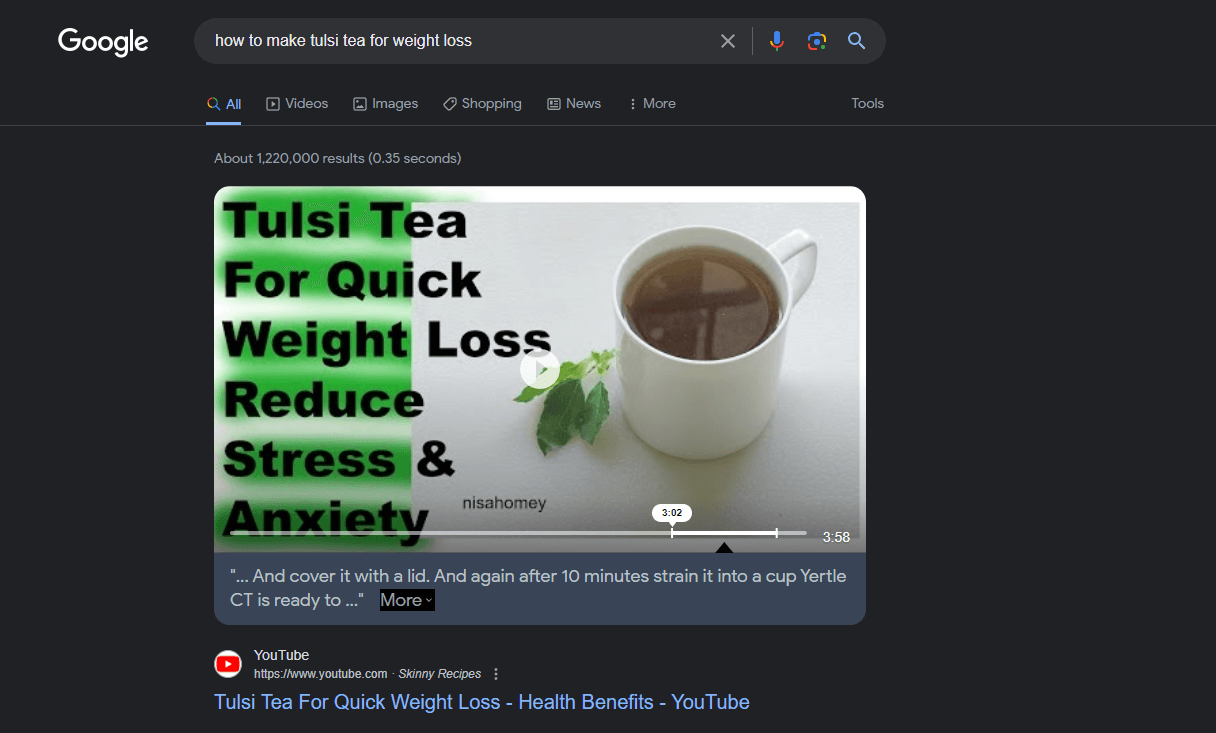
| A how-to video | Video results | You want to watch, not read |
Your search words and your place change the SERP. The same words can show a different page in Dhaka than in New York. The time of day and the device can change it too. That is why your rank can look different from what a friend sees.
The Parts of a SERP
A SERP has nine main parts. Not every search shows all nine. Google shows the parts that fit the search best. Learn each part, and you will read a SERP like a pro.
Organic Results
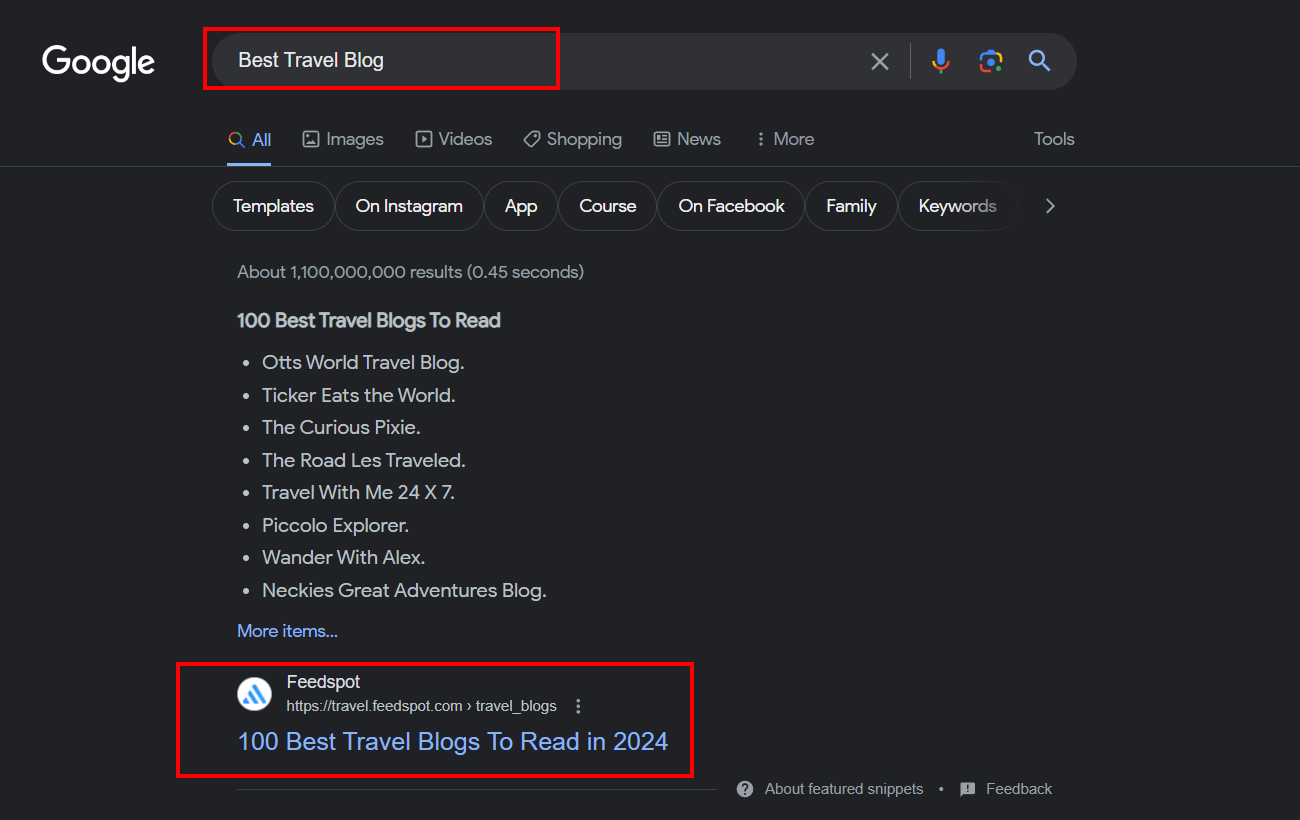
Organic results are the free listings on a SERP. You do not pay Google for them. You earn them with good pages and good links. Each one shows a title, a web address, and a short text. The title is the blue link. The short text is the meta description, or text Google picks from the page.
Paid Results (Google Ads)
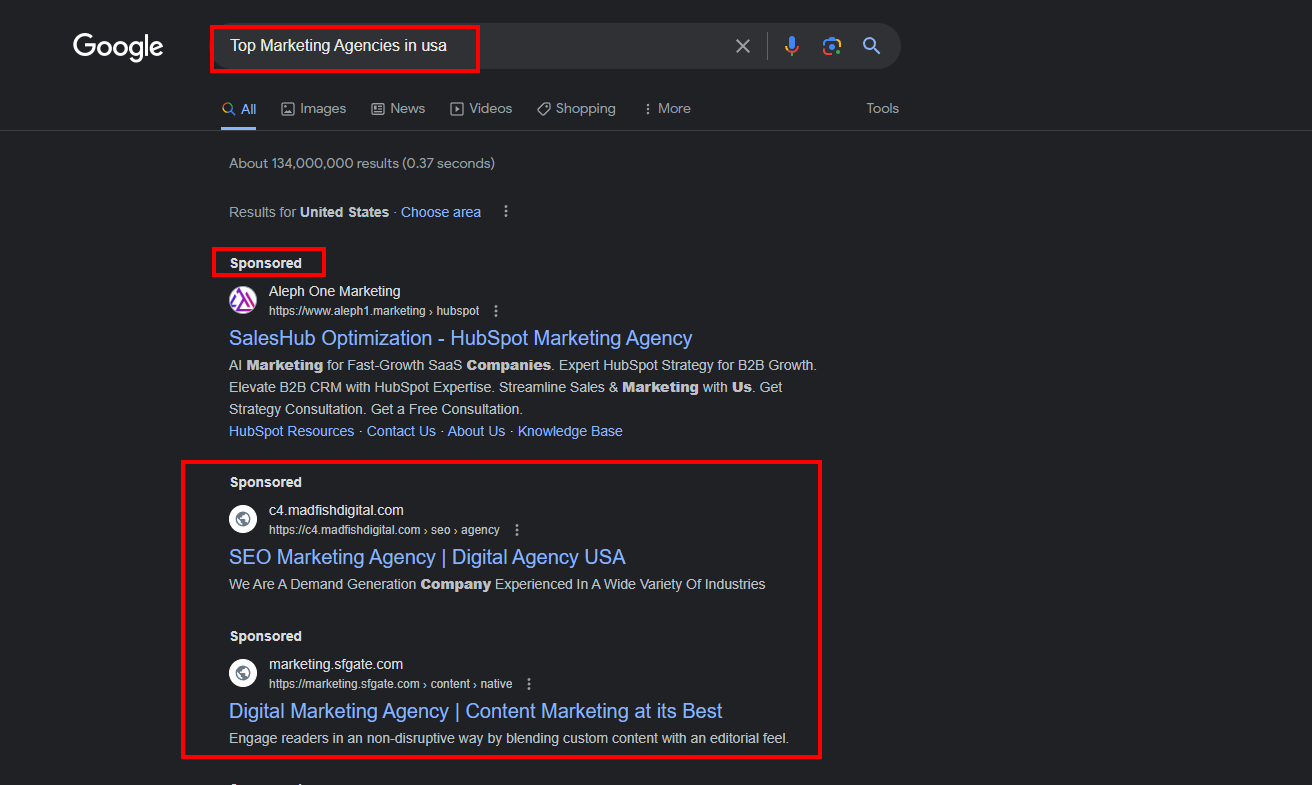
Paid results are ads. They sit at the top or the bottom of a SERP. They carry a Sponsored tag. An advertiser pays each time a person clicks one. Ads can help a new site get visits fast. They stop the day you stop paying.
Featured Snippets
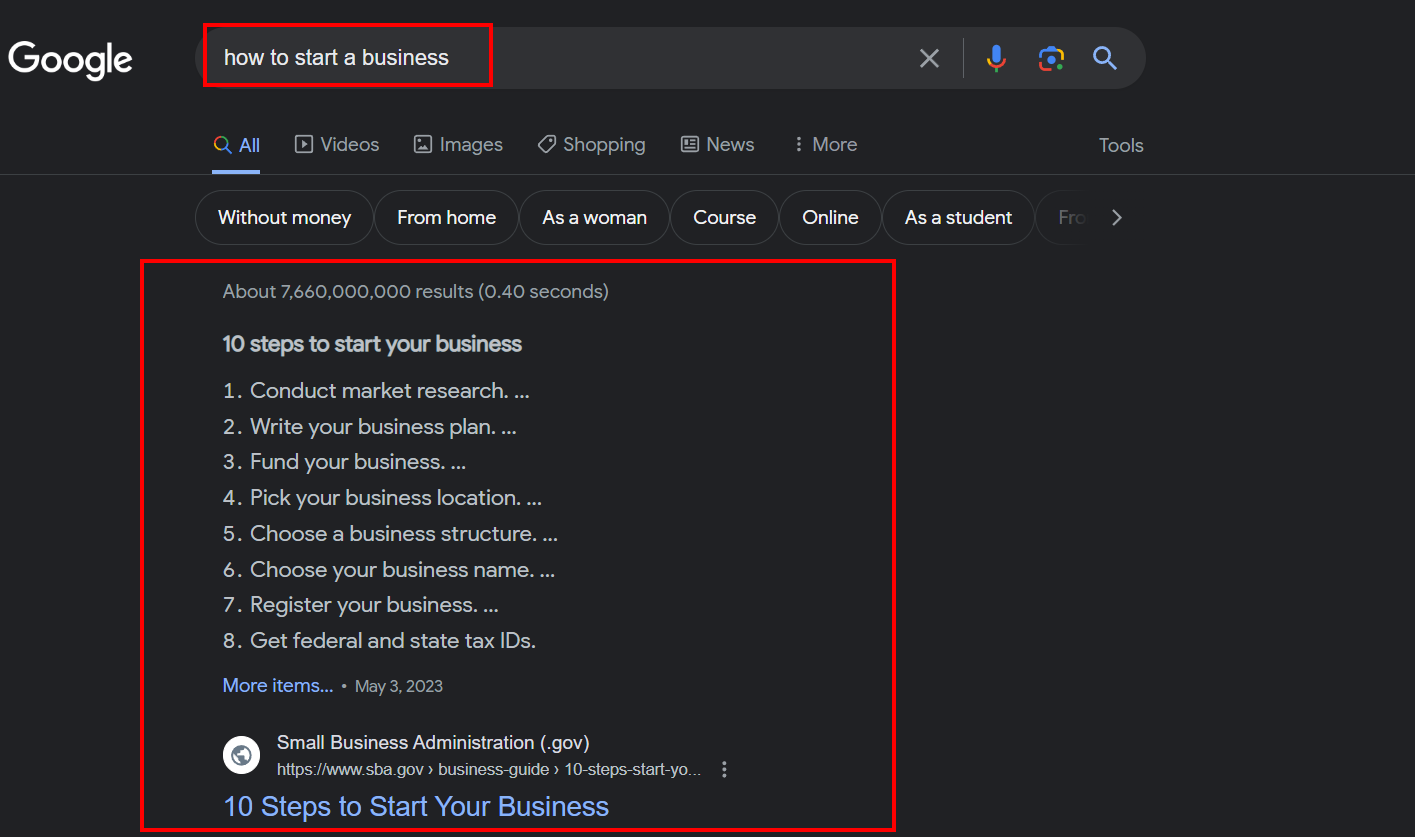
A featured snippet is a short answer in a box at the top of a SERP. Google picks it from one page. It can be a short paragraph, a list, or a table. It links to the page it came from. To win one, answer the question in 40 to 60 words, right after a clear heading.
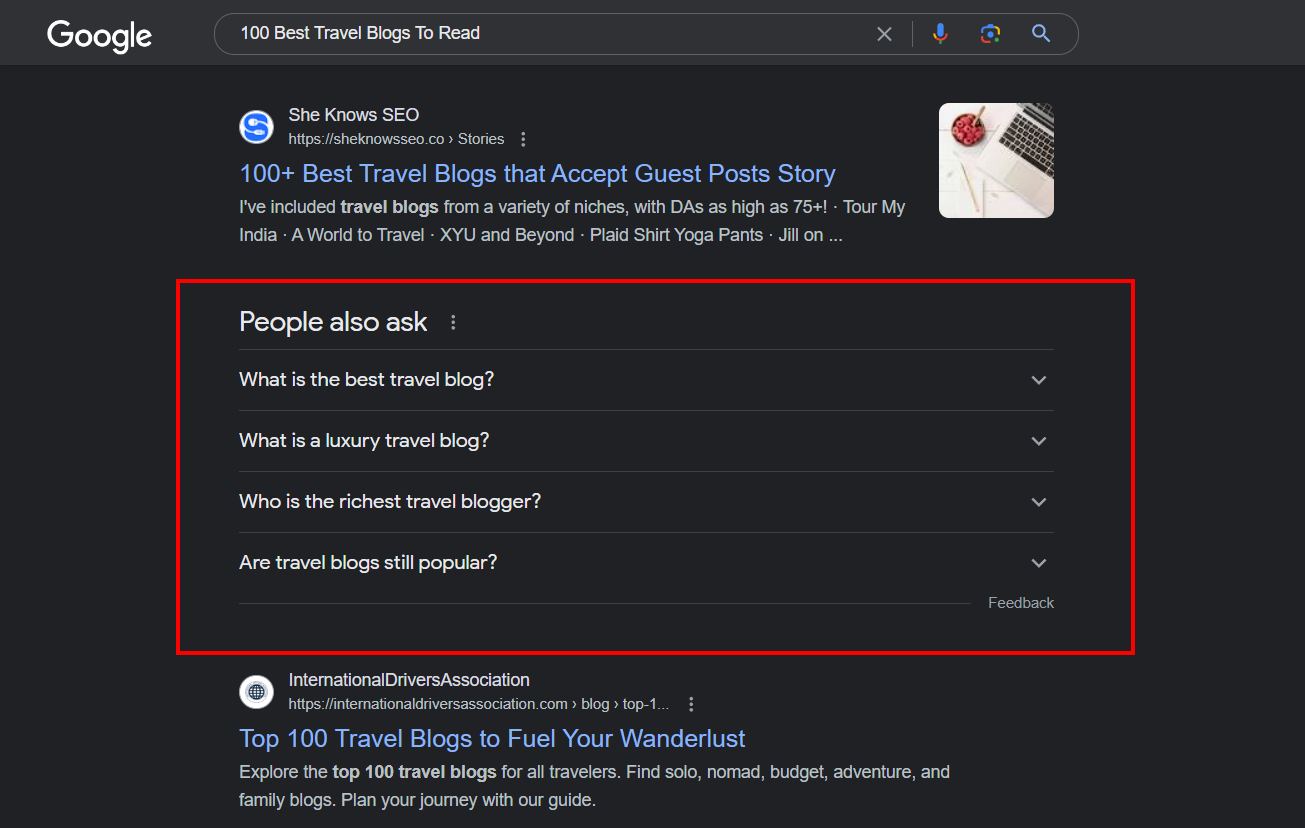
People Also Ask
People Also Ask is a box of follow-up questions. Each question opens to show a short answer. The box grows as you click more questions. It shows what people ask next. Use those questions as ideas for your next pages.
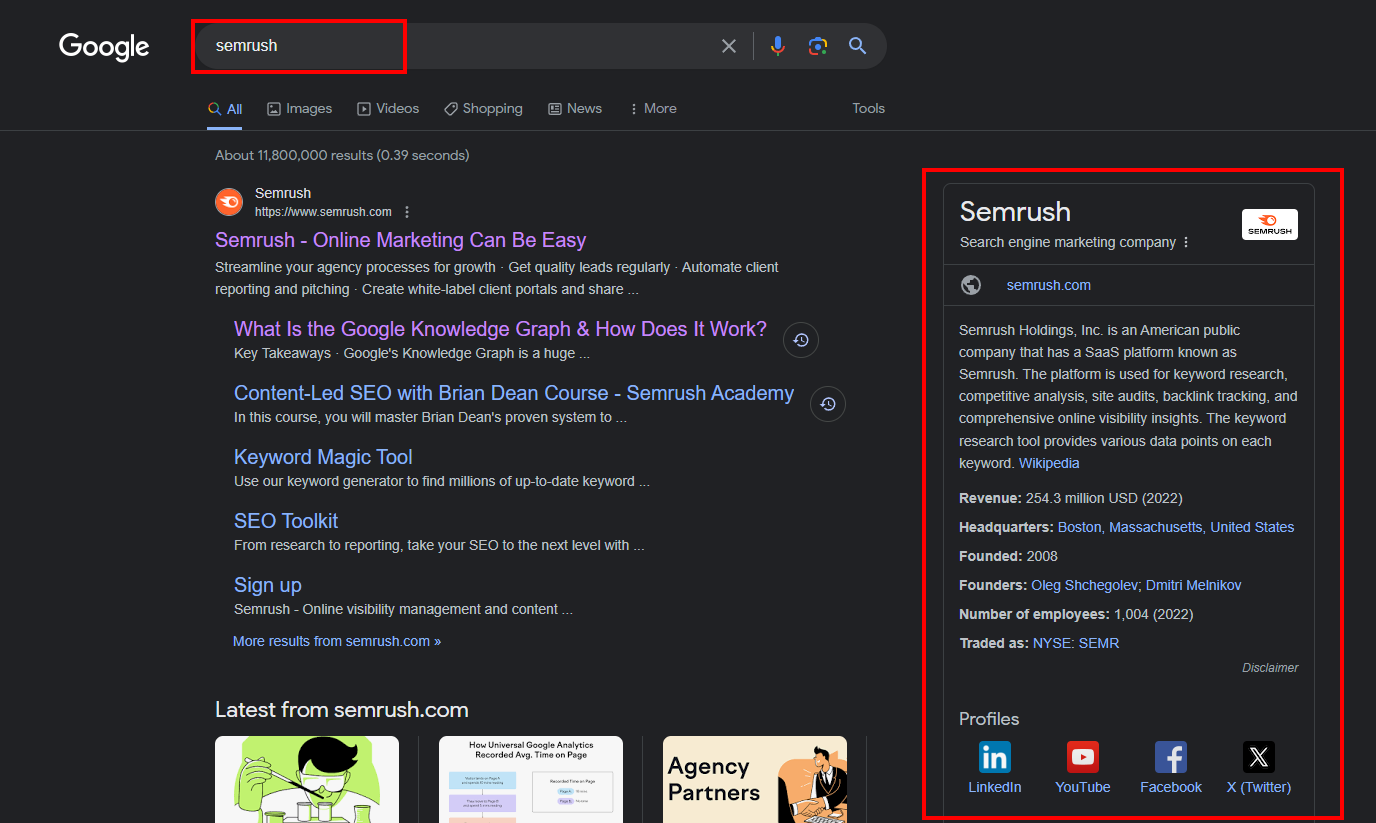
Knowledge Graph Panel
A Knowledge Graph panel sits on the right side of a SERP. It shows facts about a person, a place, or a thing. It can show a photo, a short bio, and links to social profiles. Google builds it from facts on the web. A local business can also get a panel from its Google Business Profile.
Local Pack
A local pack is a map with three nearby businesses. It shows for searches with a place in them, like dentist in Dhaka. Each listing shows a name, stars, and an address. A full Google Business Profile helps you get into the pack. Good reviews help too.
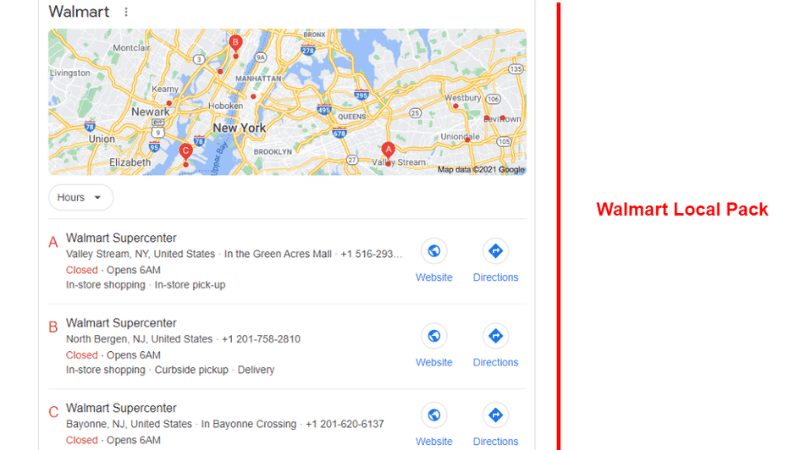
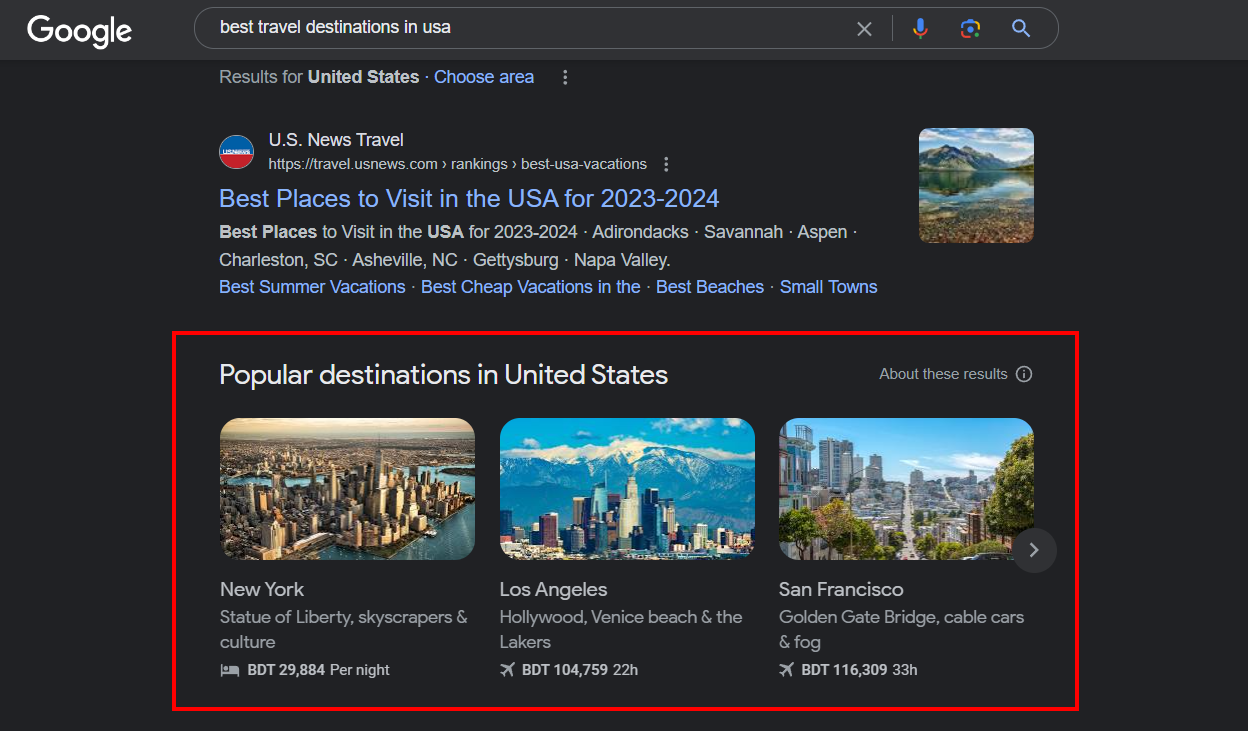
Image Pack
An image pack is a row of photos on a SERP. It shows when photos answer the search best, like for a product or a place. Each photo links to the page it came from. Good file names and alt text help your photos show up here.
Video Results
Video results show clips from YouTube and other sites. Each one shows a still image, a title, and a length. Video wins when the person wants to watch a demo or a fix. Add a clear title and a short text that says what the video shows.
Rich Snippets
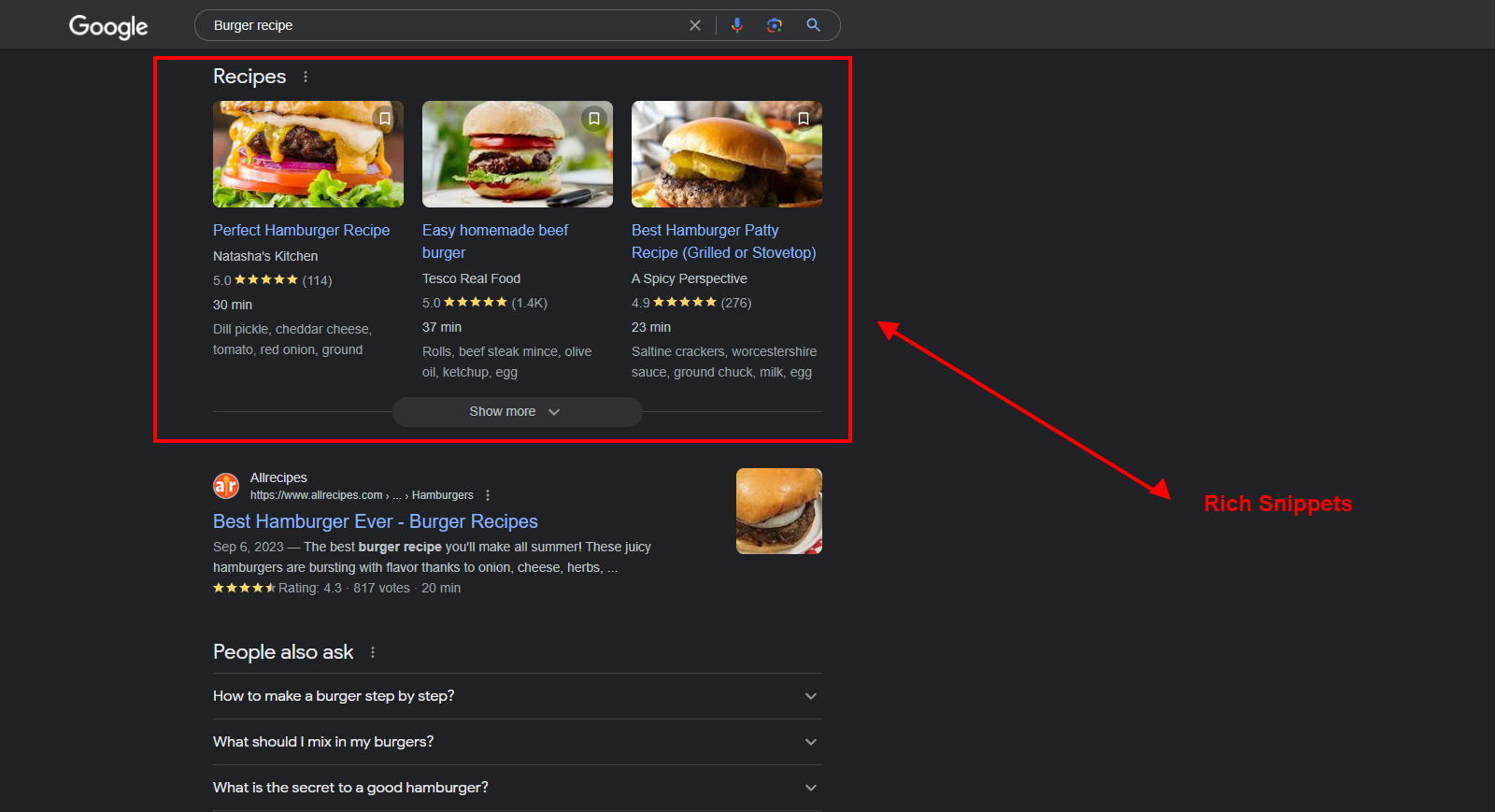
Rich snippets add extra facts to a free result. They can show stars, a price, a cook time, or a date. They come from schema markup on your page. Schema is code that tells Google what your page is about. A recipe page with stars and a cook time is one clear case.
AI Overviews, AI Mode, and Zero-Click Searches
AI Overviews are short, AI-made answers at the top of some SERPs. They sum up the best pages and link to them. AI Mode is a chat-style search in Google. You can ask a follow-up question, and it will answer in the same chat. Both use pages that Google can read and trust.
A zero-click search ends on the SERP. The person gets the answer and never clicks a page. That happens more now, with AI answers, snippets, and maps. It does not mean SEO is dead. It means your page must give more than a quick fact. Give the steps, the price, and the proof, so the reader has a reason to click.
Google says you need no extra work to show up in AI Overviews or AI Mode. Good pages still win. Write clear answers to real questions. Use facts, steps, and your own examples. Keep your headings clear and your lines short. You can read the rules on Google Search Central on AI features.
How to Rank on a SERP
Rank comes from work on and off your page. Start with the search you want to win. Then make the best page for that search.
- Pick one main search phrase per page, and match what the person wants.
- Answer the question in the first short paragraph, in 40 to 60 words.
- Write a title and meta description that say what the page gives. See our guide on how to write meta descriptions.
- Add schema markup for stars, prices, and facts where it fits.
- Make the page fast and easy to use on a phone.
- Earn links from real sites in your field.
- Keep your Google Business Profile full and true, for local searches.
Shares and likes on social media can bring visits to your site. Google has said they are not a rank factor. Do not buy likes to try to rank. Spend that time on a better page instead.
How to Track Your SERP Results
Use Google Search Console to see how your pages show up. It shows your rank, your views, and your clicks for each search. It also shows which SERP part your page won, such as a snippet or an image pack. Check it each month, not each day. Ranks move up and down, and one day tells you little.
Track clicks, not just ranks. A page in spot three with a good title can get more clicks than a page in spot one with a weak title. If views are high and clicks are low, fix the title and the meta description first. That is the fastest win on a SERP.
Frequently Asked Questions
What does SERP mean?
SERP means Search Engine Results Page. It is the page Google shows after you search. It lists free results, ads, maps, images, video, and AI answers.
What is the difference between SERP and SEO?
A SERP is the results page you see after a search. SEO is the work you do to show up on that page. SEO helps your pages rank on a SERP.
How many results are on a SERP?
A SERP can show ten free results on the first page, plus ads and other parts. The count changes with the search. Some searches show a map, a snippet, or an AI answer first.
What is a featured snippet?
A featured snippet is a short answer in a box at the top of a SERP. Google picks it from one page. It can be a short paragraph, a list, or a table.
Do social media likes help my rank on a SERP?
No. Shares and likes can bring visits, but Google has said they are not a rank factor. Good pages and good links help your rank.
What is a zero-click search?
A zero-click search ends on the results page. The person gets the answer from a snippet, a map, or an AI Overview and never clicks a page.
How do I get my site on the first page of a SERP?
Pick one search phrase per page. Make the best page for that search. Write a clear title and meta description. Earn links from real sites. It can take weeks or months.
Get a Free SEO Audit
Want more clicks from Google? Get a free SEO audit from MentorsBoss. We check your ranks, your titles, your speed, and your local listings. Then we tell you what to fix first, in plain words.
Get my free SEO audit on our local SEO services page. Tell us your site and your town. We will show you the next three steps to win more clicks from the SERP.